
Fully Kiosk Browser & Lockdown
by Fully Factory Kiosk Solutions
🗂️ Business
Version 1.47.2-pla... 💾 902 Kb
📅 Updated March 22, 2022
Fullscreen Kiosk Browser and App Launcher for Kiosk Mode & Digital Signages
Features Fully Kiosk Browser & Lockdown
Fully Kiosk is a configurable Android Kiosk Browser and App Launcher.
Lockdown and restrict your websites and lock other apps in kiosk mode.
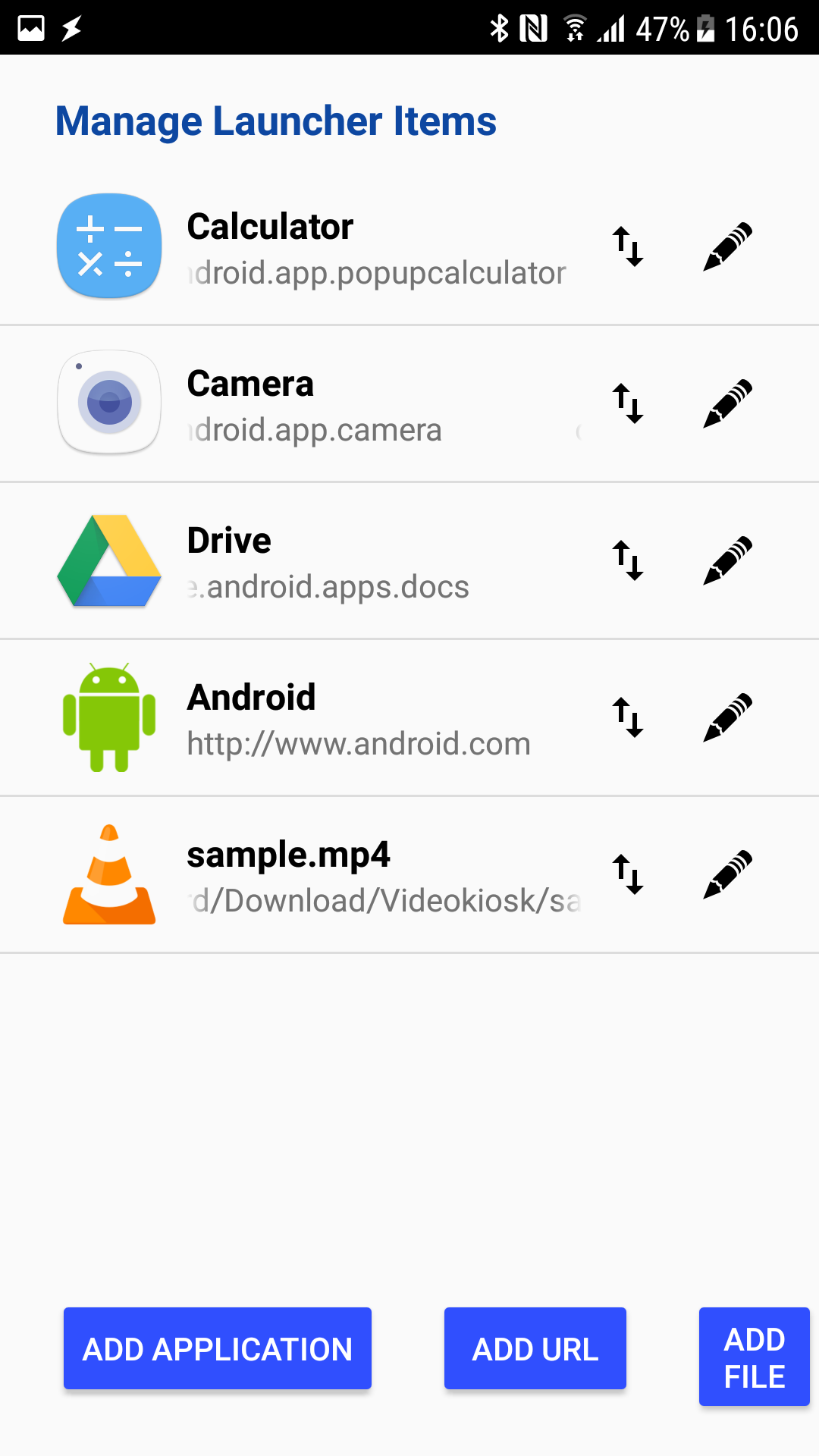
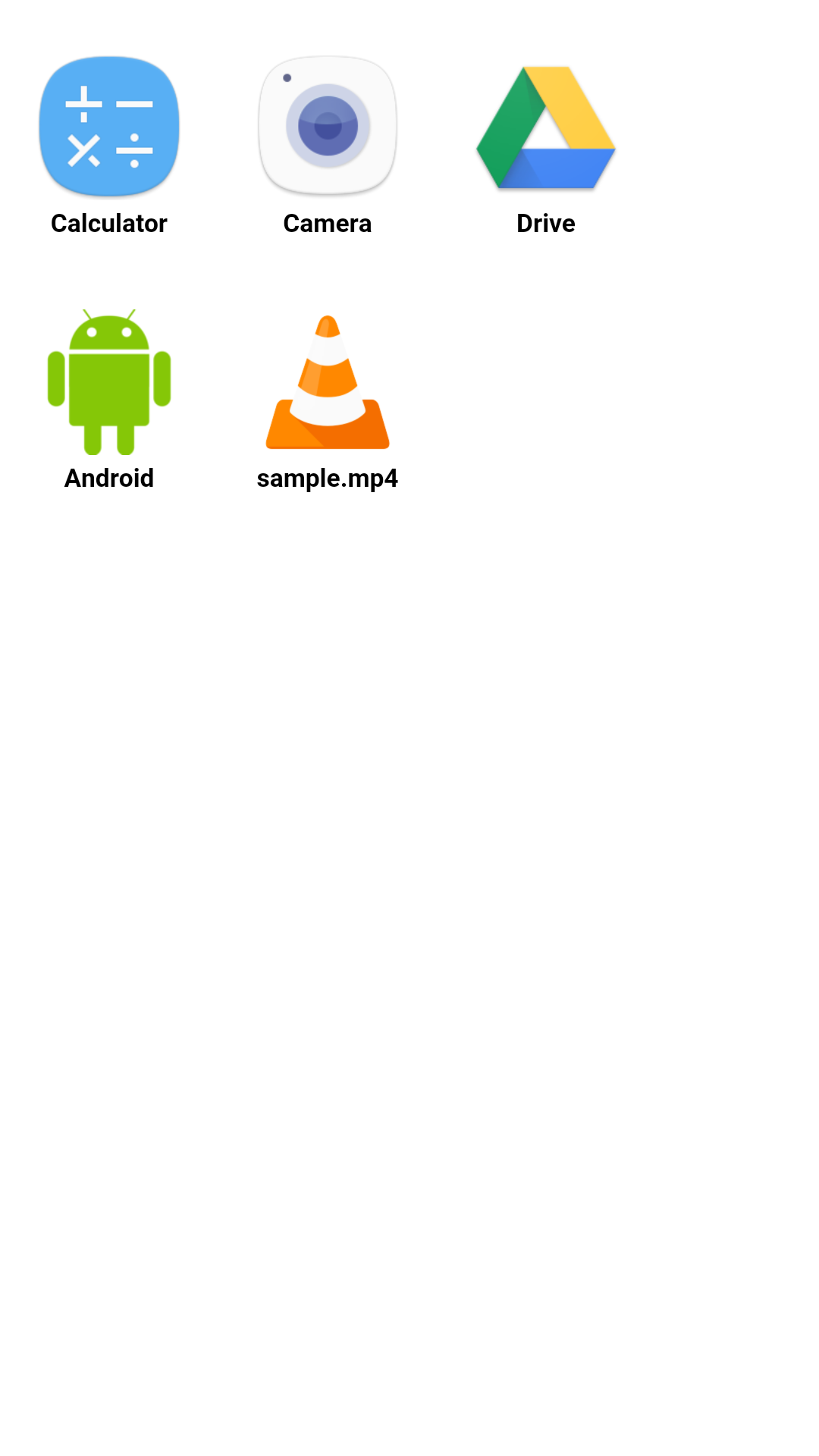
Fully Kiosk Browser provides fullscreen kiosk mode, motion detection, remote admin and many other features for your digital signages, interactive kiosk systems, information panels, video kiosks and any unattended Android devices.FEATURE OVERVIEW* Show a website (HTTP, HTTPS or FILE) with full support for HTML5, JavaScript, application cache, embedded videos etc.* Lockdown and configure browser features like webcam and geolocation access, file/cam uploads, autocomplete, popups, JavaScript alerts, third party cookies, user agent string, video autoplay, zooming, custom error URL, URL whitelist and blacklist for secure kiosk mode * Open allowed apps, files and websites from customizable App Launcher with full kiosk lockdown* Customizable browser controls like action and address bar, back button, progress bar, tabs, pull-to-refresh, page transitions, custom colors, read NFC tags* Show PDF files and play all video streams supported by Android incl.
RTSP* Auto reload website on idle, on network reconnect or screen on, purge some items on reload* Configure your device for the best user experience: fullscreen mode, set screen brightness/orientation, keep screen on, skip the lockscreen, autostart@boot, scheduled wake-up and sleep times, enhanced screensaver* Kiosk Mode: Browser lockdown and App lockdown for unattended tablets.
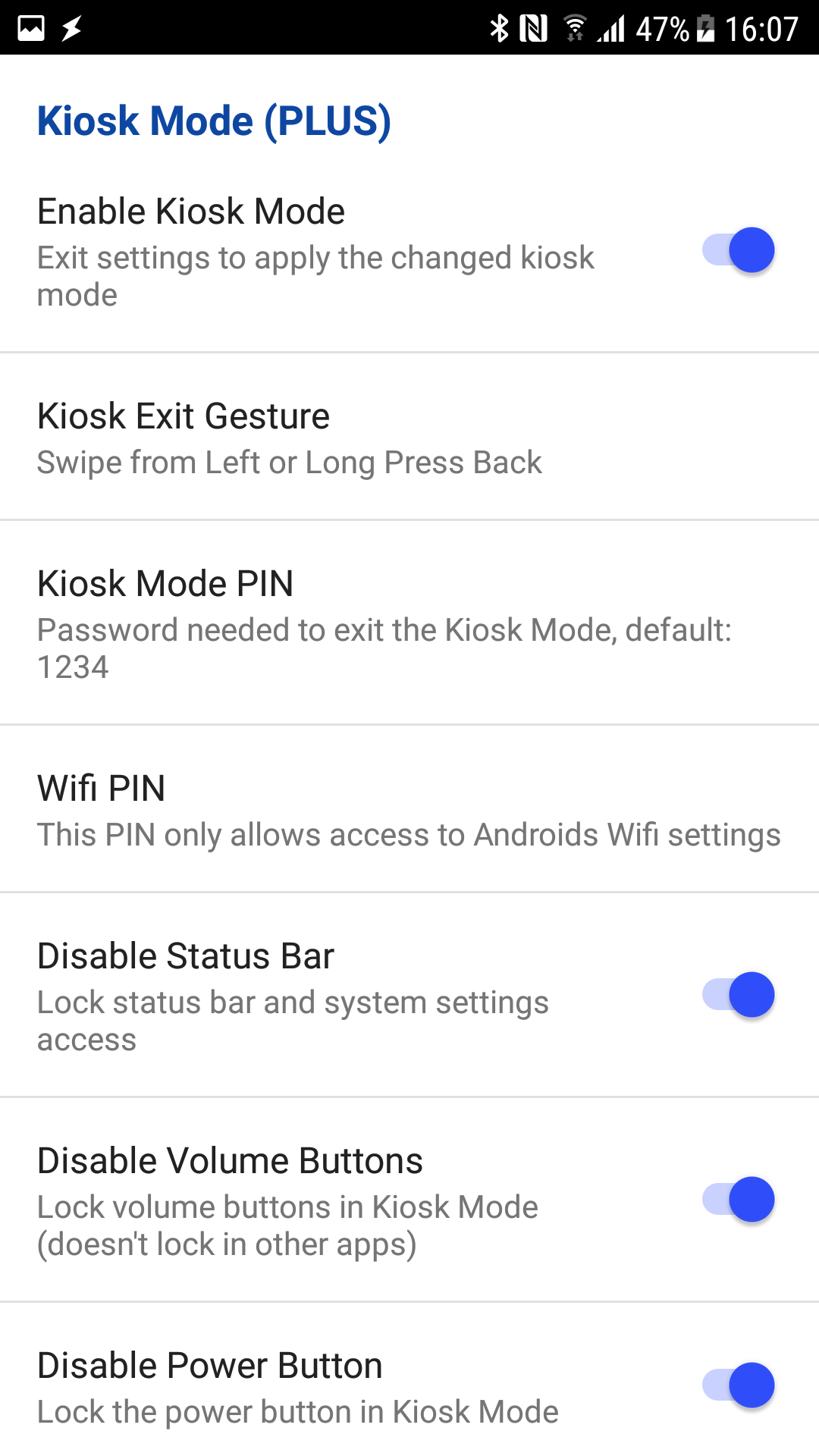
Exit from Kiosk mode only with selected gesture and PIN.* Motion Detection using front cam or microphone gets more attention, show screensaver or turn screen off when no motion* Device Movement Detection using compass, accelerometer or iBeacons, theft alarm or other action* JavaScript, MQTT and REST Interface: configure Fully Kiosk, control the device and get the device info* Remote Admin the Kiosk Browser in the local network or worldwide from Fully Cloud at cloud.fully-kiosk.com* Recover the app even after unexpected errors or auto-updates* Lightweight app, install from Google Play or from APK file, export/import settings, usage stats* Purchase an instant license for the PLUS features* Easy volume licensing and deployment, device provisioning, customized and white label solutions* Supports Android 5 to 12Full list of features: https://www.fully-kiosk.com/#featuresIf you need any other features or customizing please ask us.PERMISSIONSThis app uses the Device Administrator permission.
This is required when activating Screen Off Timer, Remote Admin or JavaScript Interface for switching off the screen programmatically.
Administration permission must be withdrawn before the app can be uninstalled.Full list of permissions: https://www.fully-kiosk.com/#permissionsUSAGEOn Android 5 and 6 please update the Android System Webview for the best browsing experience.https://play.google.com/store/apps/details?id=com.google.android.webviewWhen Fully Kiosk Browser is launched SWIPE FROM THE LEFT EDGE to show menu and settings.In the Kiosk Mode your will be asked to set Fully Kiosk as your Home App.
So youll stay locked down with Fully as your Android kiosk browser and allowed apps only.
The Android status bar, the recent app button and the hardware buttons can also be locked.Read more about 200+ configuration options: https://www.fully-kiosk.com/#configurationEnjoy!
Your feedback on our Fully Kiosk is very welcome at [email protected] Google Play In-App BillingBetter Android TV SupportSome Bugfixes
Social Features
Connect and share with friends and the community.
Gaming Features
Enjoy immersive gaming experience with various game modes.
Camera Features
Advanced camera features with editing capabilities.
See the Fully Kiosk Browser & Lockdown in Action
What Our Users Say
Don't just take our word for it. Here's what our users have to say about our Android app.
"Installed easily and using it for home assistant. Not yet using all the features but its nice having the tablet screen come on when motion detected by tablet camera. So far though it works very well."
Daveandcarole Winwood
"Terrible"
Trevor Hatok
"absolute sh*te.... locked my phone i was testing on and no matter what i did to undo it as the admin it had my phone locked up. had to hard reset the phone."
Chris Richards
"Hands down the best app if you want to use a tablet as a Home Automation Terminal. So many configuration options, also has a great web api and remote manangement tools"
David Erlmeier
"Excellent app"
Dave Brown
"Awsome app"
ROBERTO RIJOS
"Great App and awesome customers support. We use this app for our menu tablets in our restaurant. Works absolutely perfect. We had a smaller issue and contacted customer support. They helped us immediately."
3 Senses Vanilla Hills Lodge
"Exactly what I needed for home automation remote. Over 6 years later and still excellent."
David Pearce
"Please add java script random values"
Jiwan Singh
"Poor licensing model"
Mark Pasternak
Get the App Today
Available for Android 8.0 and above